Unable to create a new user/relation, because of lack of delegations
Symptoms
It was not possible to create a new relation, because there where no delegations to pass trhough onto the new user.
Details
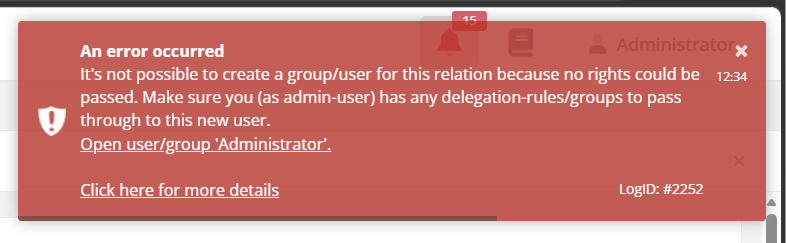
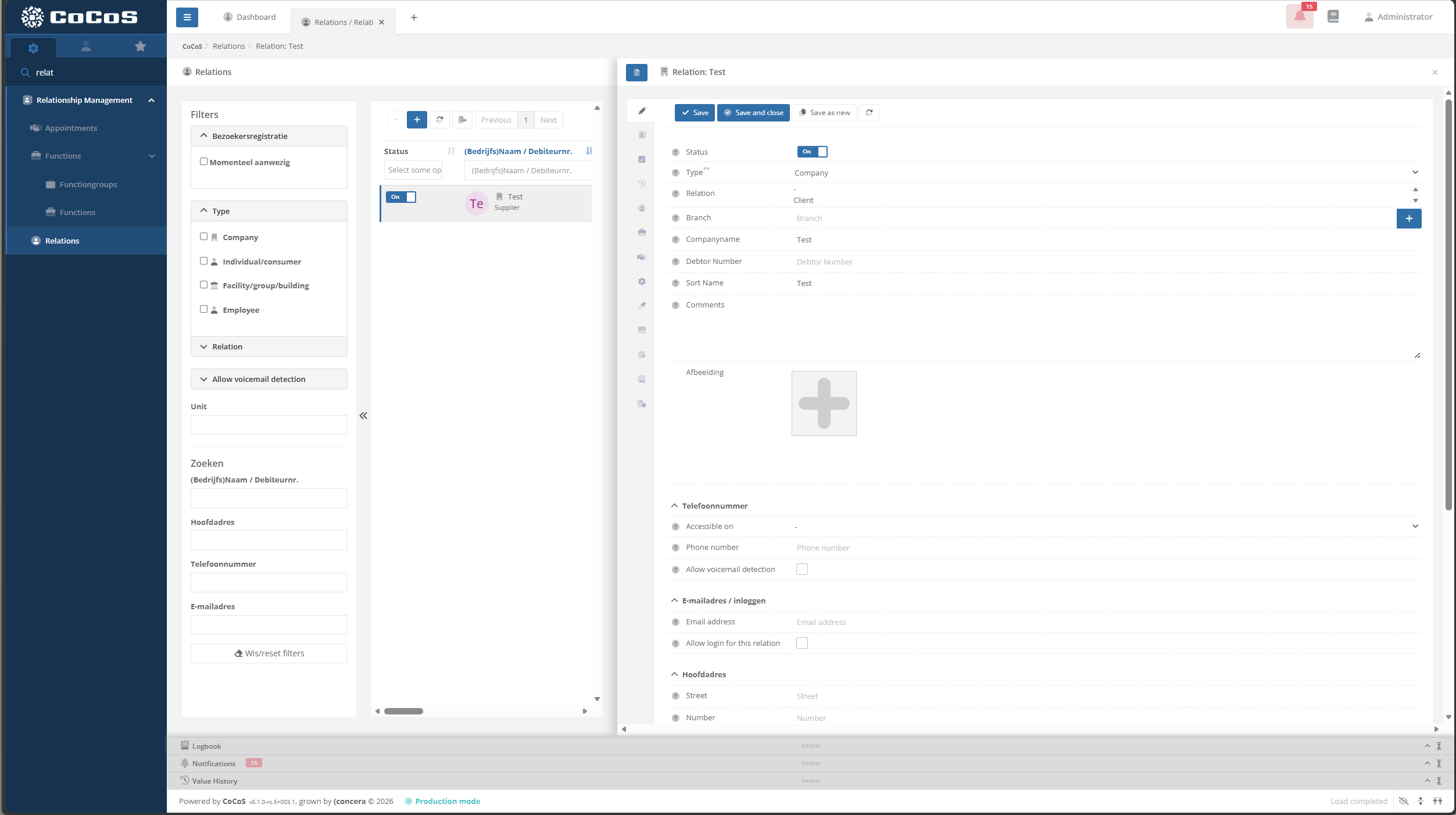
When (trying to) create a new relation, a error occurs saying it's not possible to create a group/user for the relation, because no rights could be passed. See also the screenshot below:
Cause
In CoCoS, every contact (relation) that is created also gets a linked user account and/or a user group. These accounts are used to connect data to the correct person or group.
For example, when a new location is created for a contact, it is linked to that contact using it's user accounts and/or user group. This structure ensures that, after logging in, a user can only access data that is linked to them, based on the permissions assigned to their account.
This means that when creating a new relation, a corresponding user and/or user group has to be created as well. This will be done automatically.
Normally, when a new user or user group is created by an existing user/relation, the new one automatically inherits the same permissions as the person creating it. However, this is not always desirable. For instance, if someone is logged in as a system administrator (who is not linked to a specific contact and has full access rights), it is typically not desirable for the new user to receive the same unrestricted permissions.
To solve this, CoCoS uses something called “delegations.” Delegations define which permissions are given to new users or user groups. These permissions are applied at the moment of creation and are independent of the current user’s permissions. Importantly, modifying delegations does not affect the permissions of existing users. It only determines which permissions are granted to users or groups created in the future.
On a freshly/newly installed CoCoS system, the administrator user won't have any delegations. So when it (tries to) create a new relation, this error occures.
Solution / Resolution / How To
Describe how to fix it, how to validate an observation or describe how to configure a specific case. Only use one title, solution, resolution or HowTo
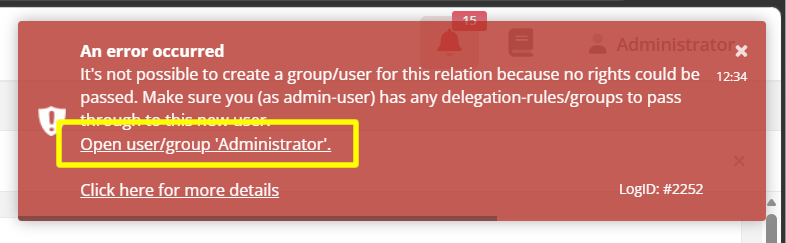
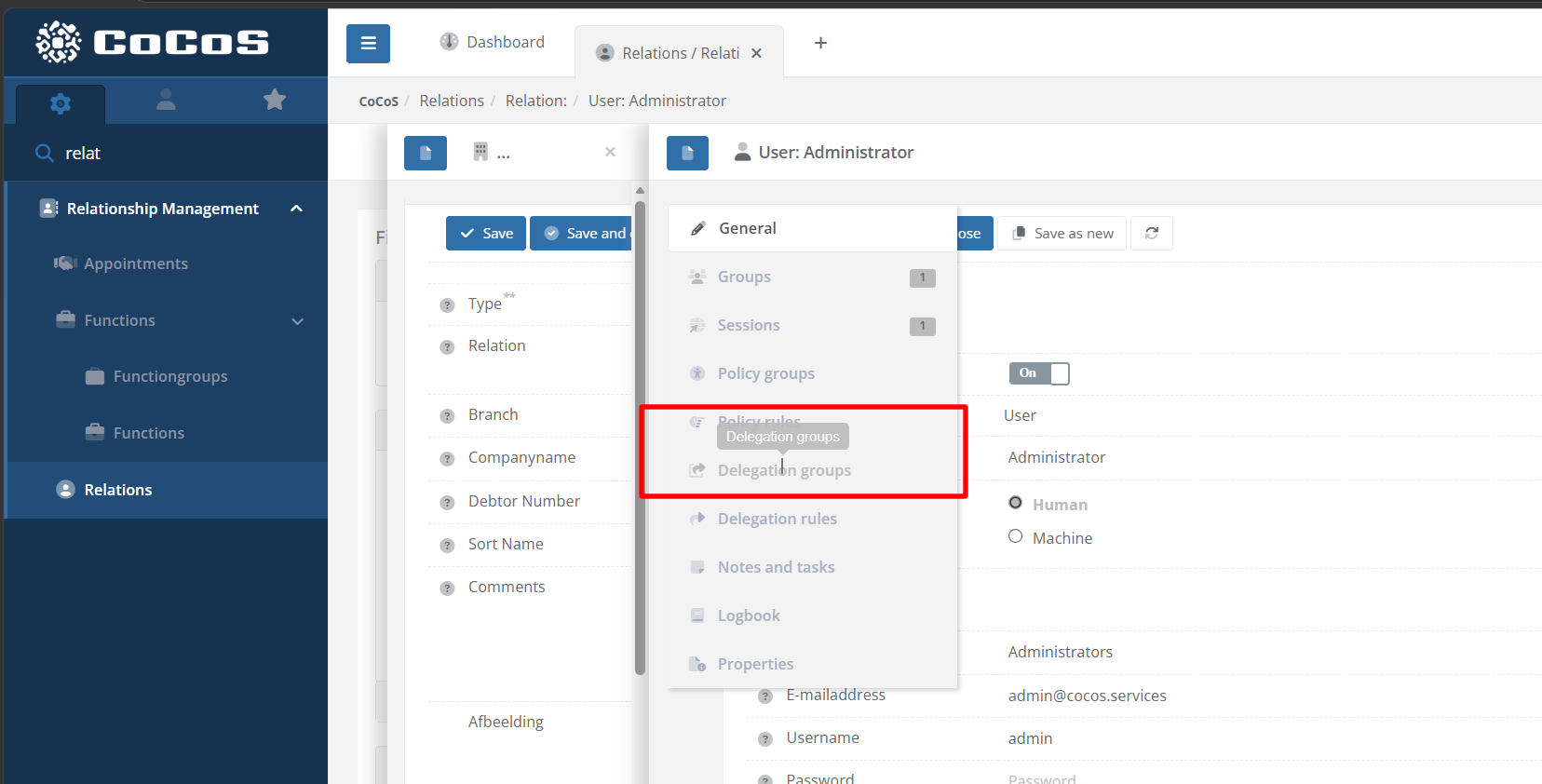
| When the error occurs. Click the link in the error to open the user from where the delegations will be converted into permissions when creating the new relation. |
|
| Navigate to tab "Delegation groups" to find the permissions to pass through when creating a new relation. |
|
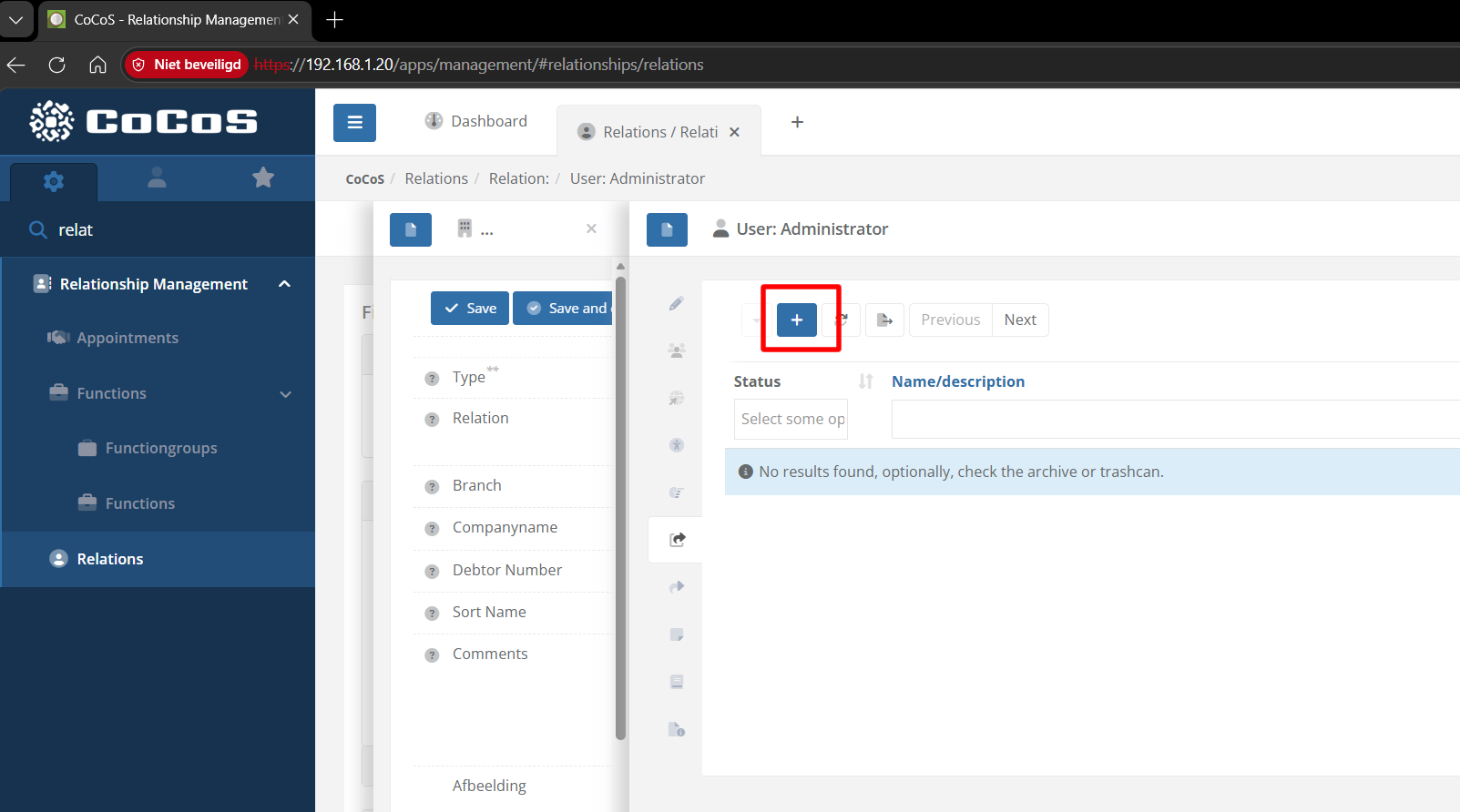
| Because of the error, the list in this tab is most likely empty (or items are disabled). Use the [ + ] button to find/link an existing delegationgroup or create a new one. |
|
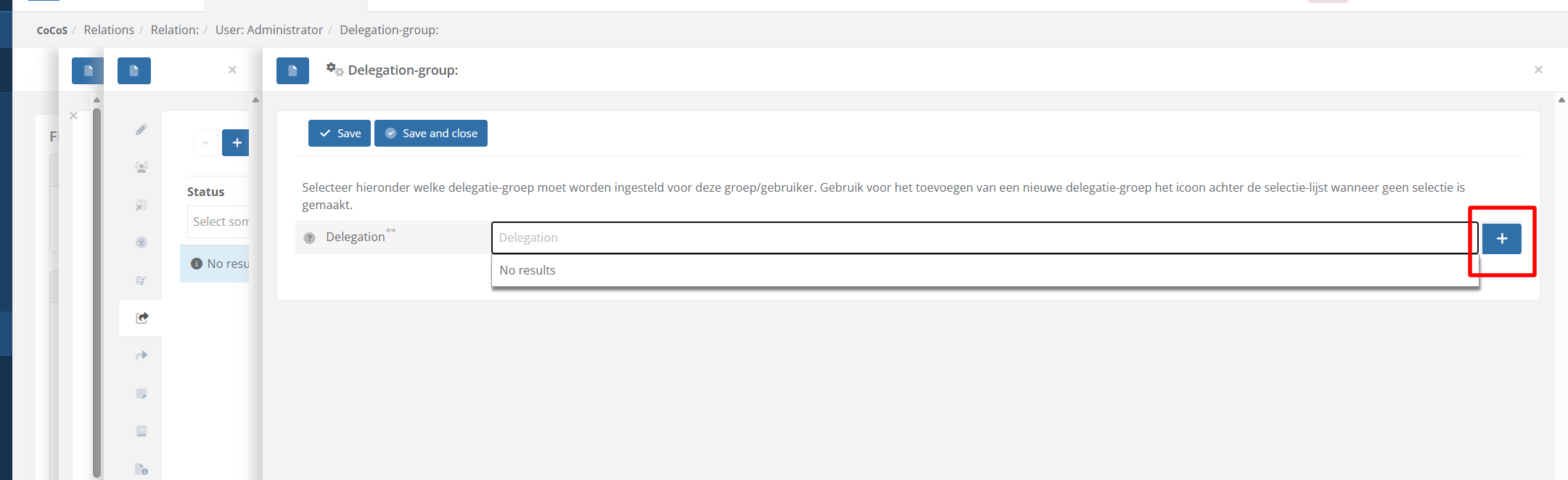
| When no results are found, use the [ + ] button to create a new group. |
|
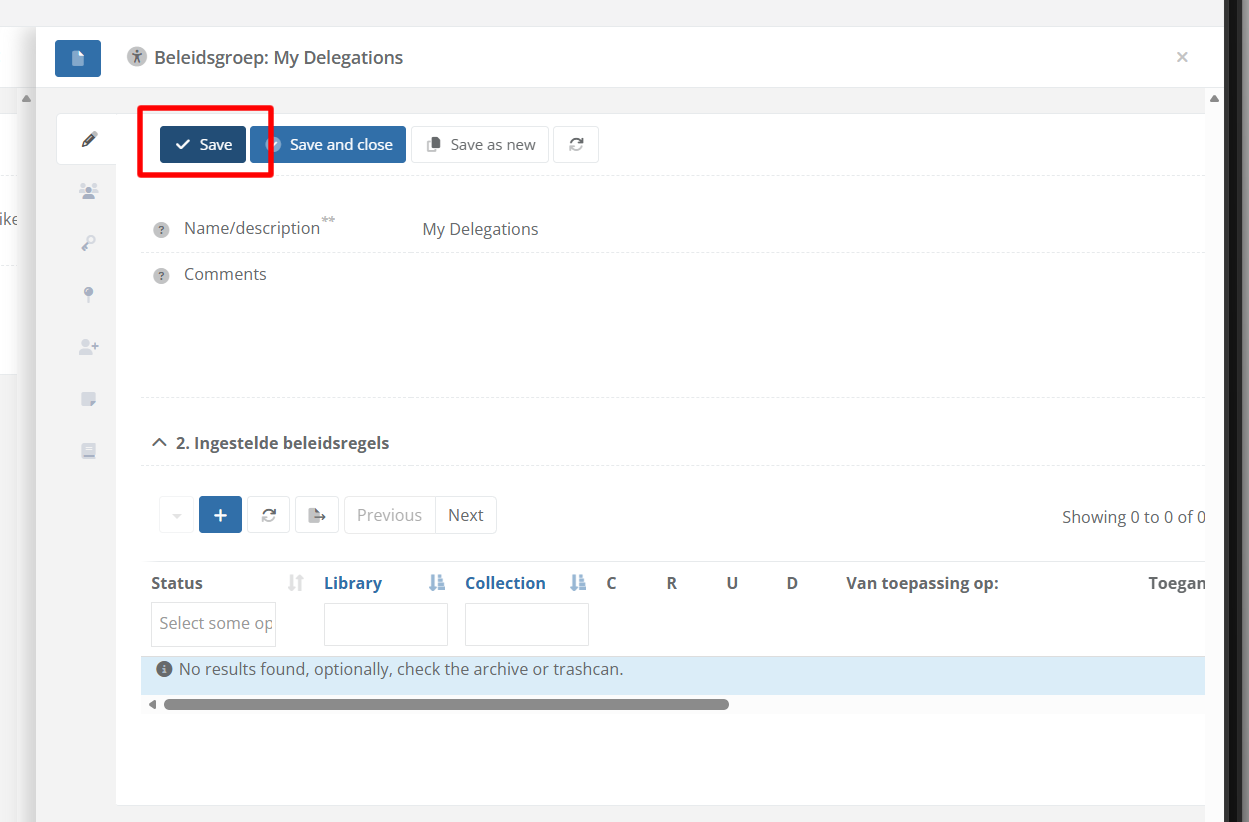
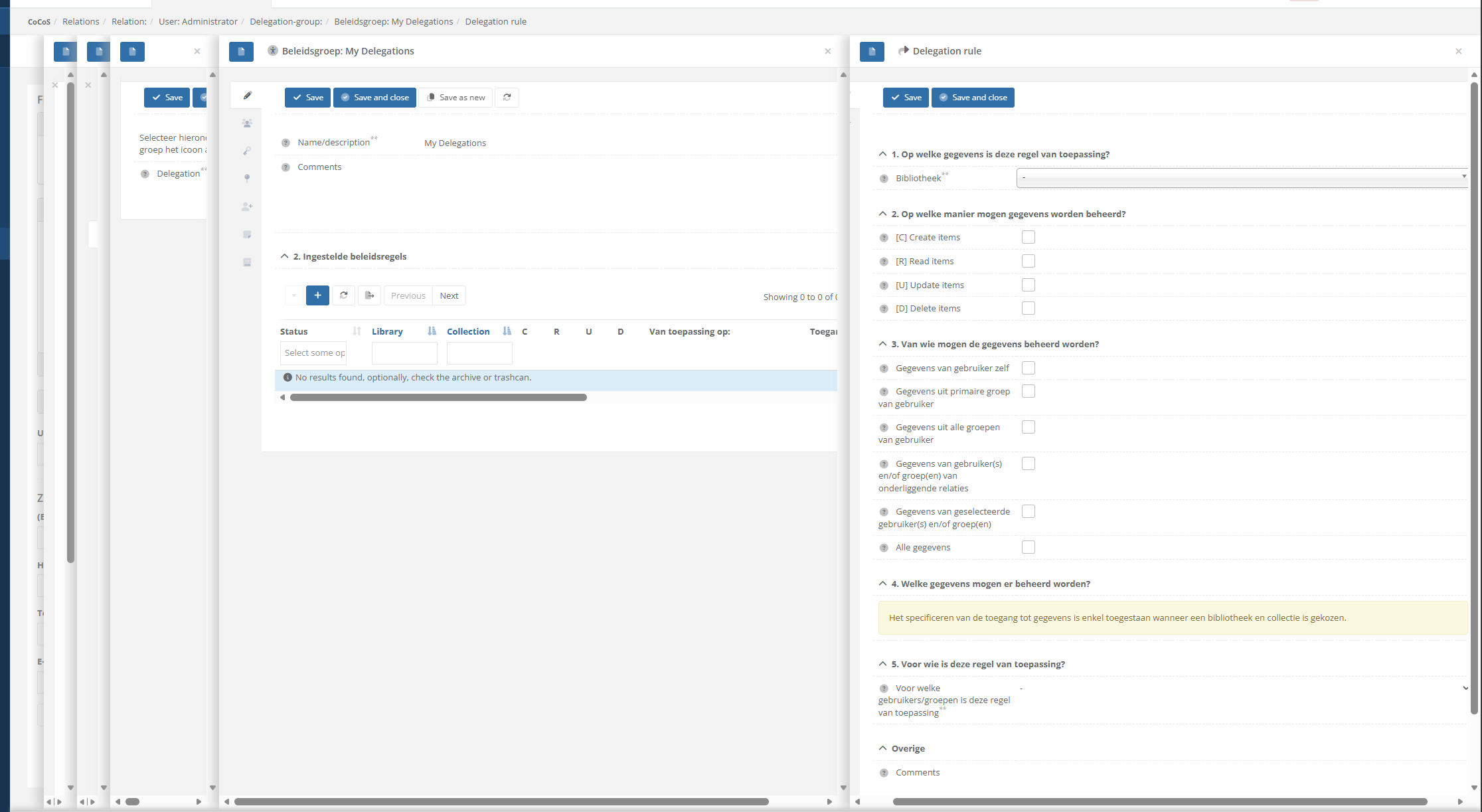
| Provide the delegationgroups with a name (and comments optionally) and use the [ Save ] button to save it. After the delegationgroup is created, the [ + ] button in the list with delegationrules/policyRules can be used to create new entries, specifing what permissions will be granted for new users/groups, created by this user. |
 |
| When creating a new rule/new rules, it's possible to specify which library/which collection the user may access, which actions may be performed, which data may be accessed etc. There is no "default" or "standard" delegation, this depends on the situation in which CoCoS will be deployed. |
|
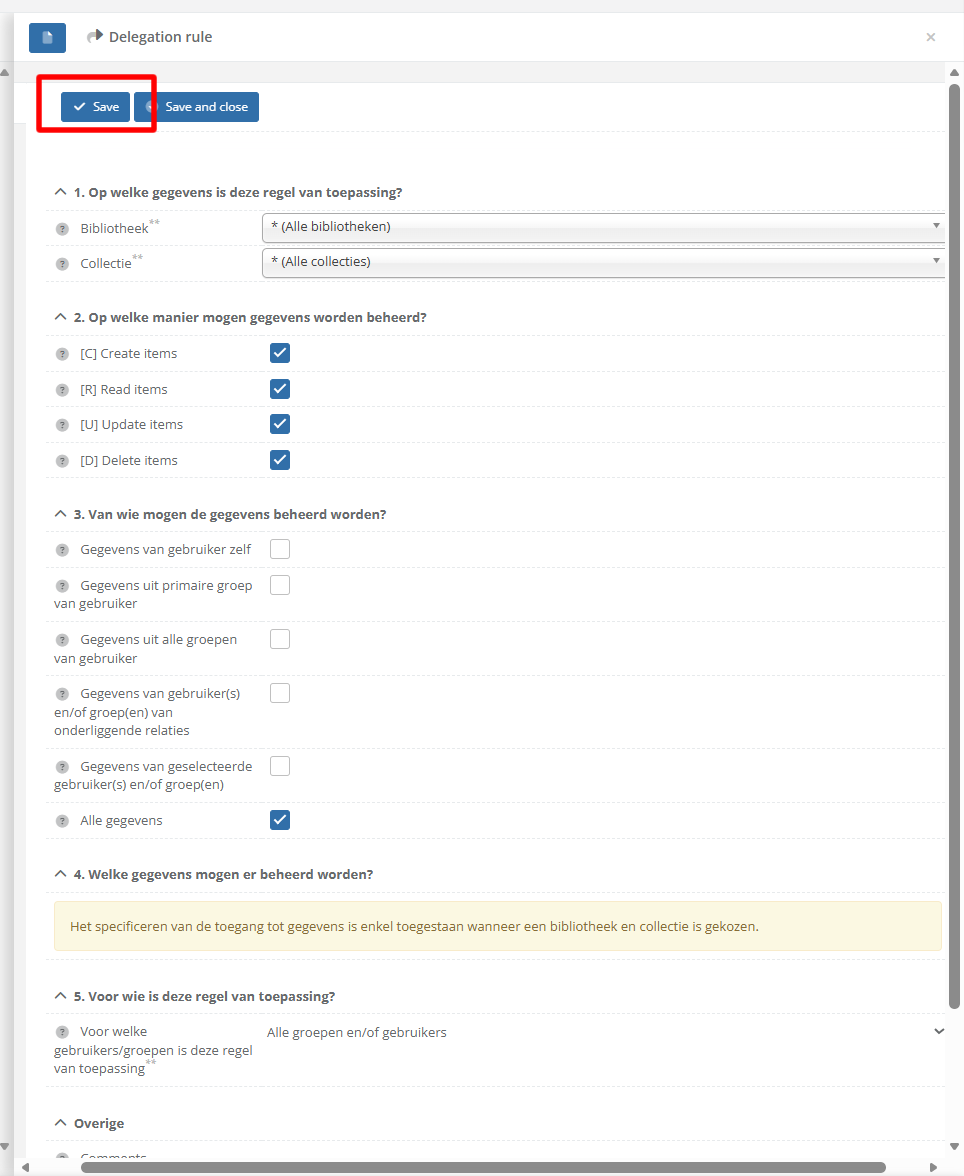
| EXAMPLE: In this case, as example, we create a delegation rule that gives access to execute everything on every library/collection. After configuring the delegationrule. Use the [ Save] or [ Save and close ] button to save it. |
|
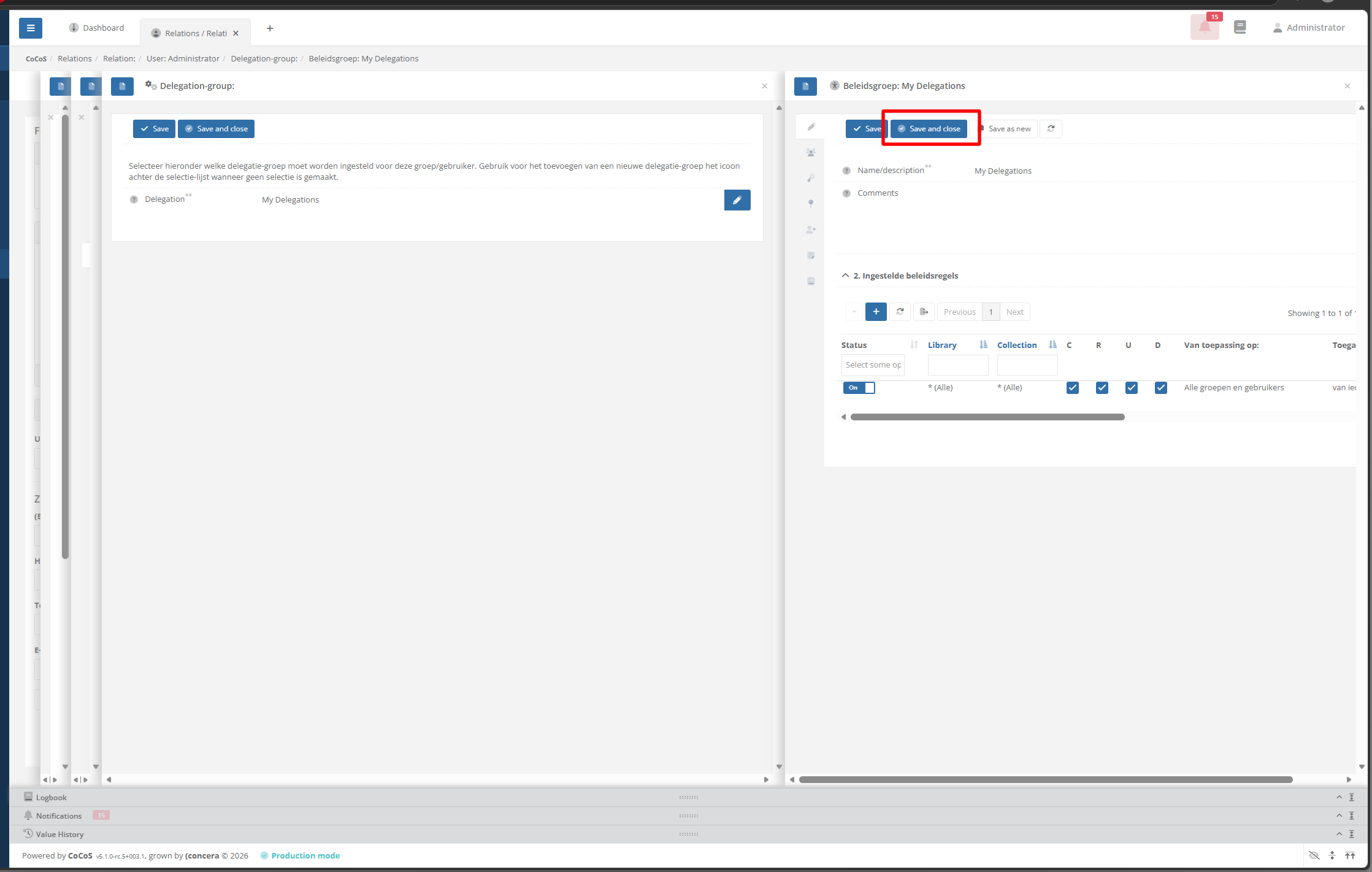
| Once a rule is/all rules are added, the delegation can saved and closed. |
|
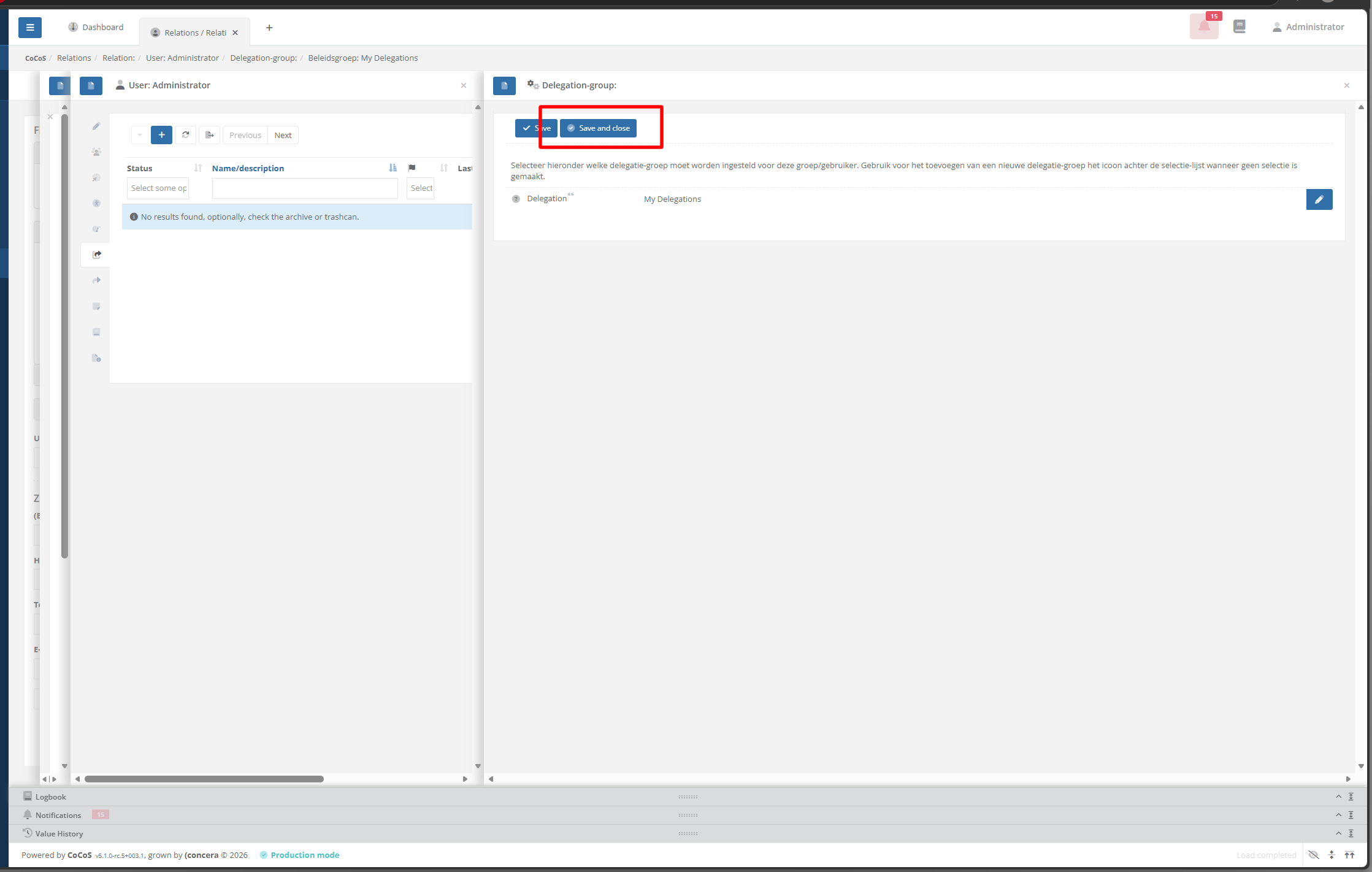
| And click [ Save and close ] again in order to link/assign the newly created delegationgroup to the user. |
|
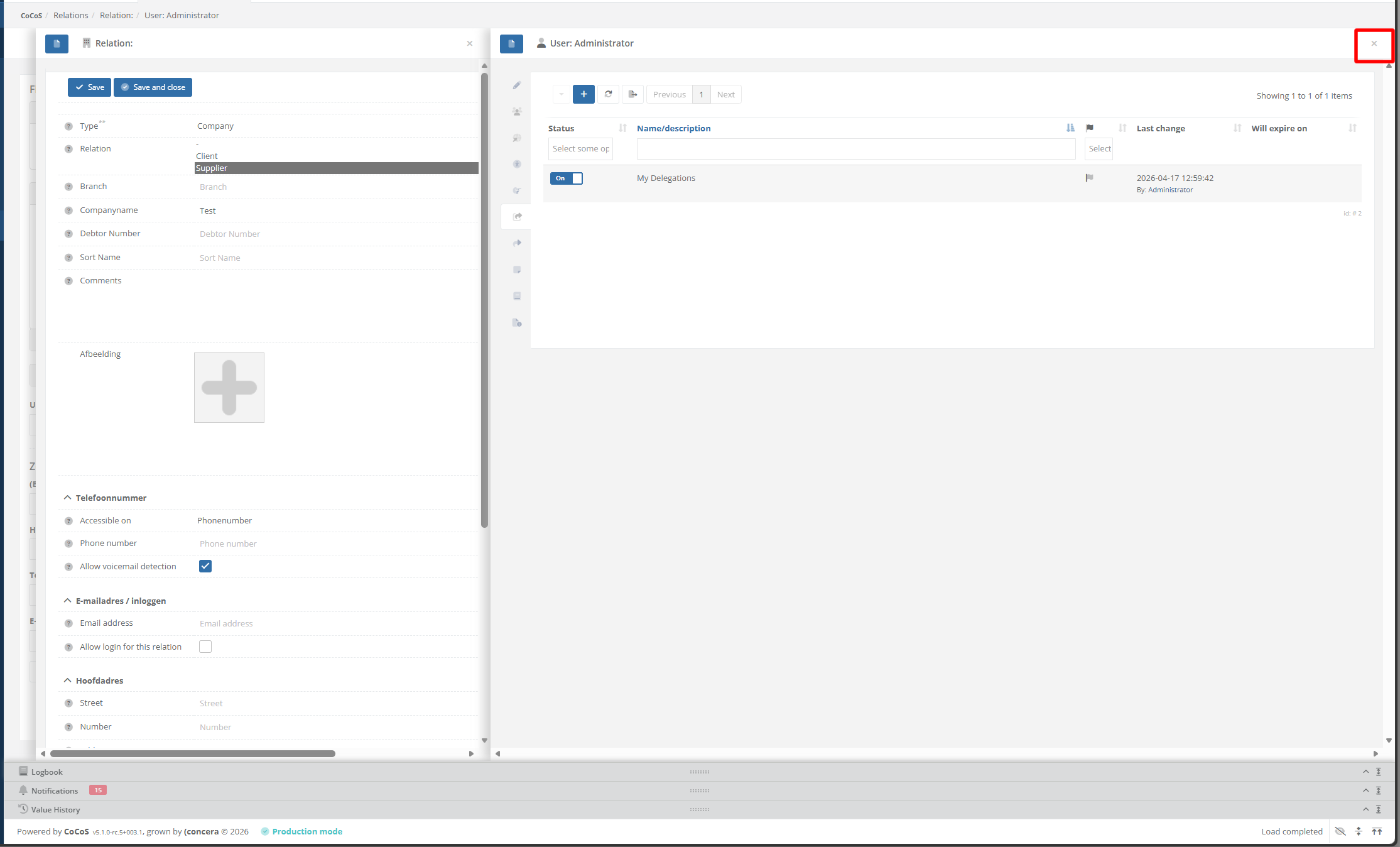
| Once the delegationgroups is added to the user, the user can be closed as well. The configuration should now be complete. |
|
|
After this, saving a relation will now work and new relations/contacts can be created. By default, users/relations/contacts created for this relation/contact (hierarchically) will get the same permissions. To prevent this, the user or group for this relation/contact should be edited, specifying it's own delegationgroups/delegationrules again. |
|
References
Delegation rules example:
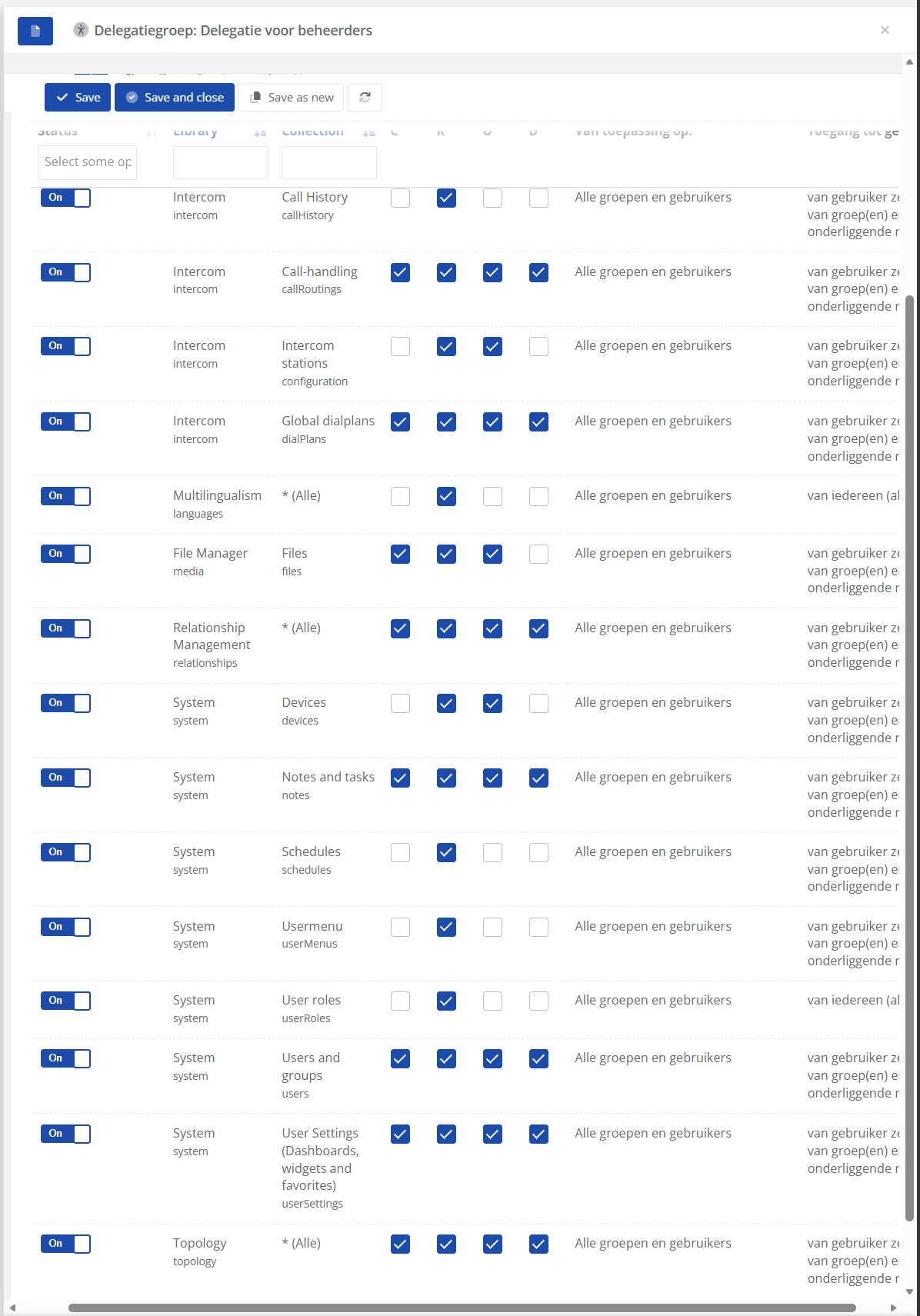
Let op! Please note! The table below is only an example. Different permissions may apply per project/client/application. Always ensure that the correct permissions are granted. If necessary, log in as that user after assigning permissions to them to verify that they have access to the correct data and can/are allowed to perform the correct actions.
| Library/collection | CRUD | Van wie | Gegevens | Voor wie |
| intercom/callHistory | Read | Gebruiker zelf Onderliggende relaties |
Alle velden | Van toepassing op alle groepen/gebruikers |
| intercom/callRoutings | Create + Read + Update + Delete | Gebruiker zelf Onderliggende relaties |
Alle velden | Van toepassing op alle groepen/gebruikers |
| intercom/configurations | Read + Update | Gebruiker zelf Onderliggende relaties |
Alle velden | Van toepassing op alle groepen/gebruikers |
| intercom/dialplans | Create + Read + Update + Delete | Gebruiker zelf Onderliggende relaties |
Alle velden | Van toepassing op alle groepen/gebruikers |
| languges/* | Read + Update + Delete | Gebruiker zelf Onderliggende relaties |
Alle velden | Van toepassing op alle groepen/gebruikers |
| mastertables/* | Read | Alle gegevens | Alle velden | Van toepassing op alle groepen/gebruikers |
| media/files | Create + Read + Update | Gebruiker zelf Onderliggende relaties |
Alle velden | Van toepassing op alle groepen/gebruikers |
| relationships/* | Create + Read + Update + Delete | Gebruiker zelf Onderliggende relaties |
Alle velden | Van toepassing op alle groepen/gebruikers |
| system/devices | Read + Update | Gebruiker zelf Onderliggende relaties |
Alle velden | Van toepassing op alle groepen/gebruikers |
| system/notes | Create + Read + Update + Delete | Gebruiker zelf Onderliggende relaties |
Alle velden | Van toepassing op alle groepen/gebruikers |
| system/schedules | Read | Gebruiker zelf Onderliggende relaties |
Alle velden | Van toepassing op alle groepen/gebruikers |
| system/userMenus | Read | Gebruiker zelf Onderliggende relaties |
Alle velden | Van toepassing op alle groepen/gebruikers |
| system/userRoles | Read | Alle groepen en gebruikers | Alle velden | Van toepassing op alle groepen/gebruikers |
| system/users | Create + Read + Update + Delete | Gebruiker zelf Onderliggende relaties |
Alle velden | Van toepassing op alle groepen/gebruikers |
| system/userSettings | Create + Read + Update + Delete | Gebruiker zelf Onderliggende relaties |
Alle velden | Van toepassing op alle groepen/gebruikers |
| topology/* | Create + Read + Update + Delete | Gebruiker zelf Onderliggende relaties |
Alle velden | Van toepassing op alle groepen/gebruikers |