Asterisk is missing the required (TLS) SIP Transport
Symptoms
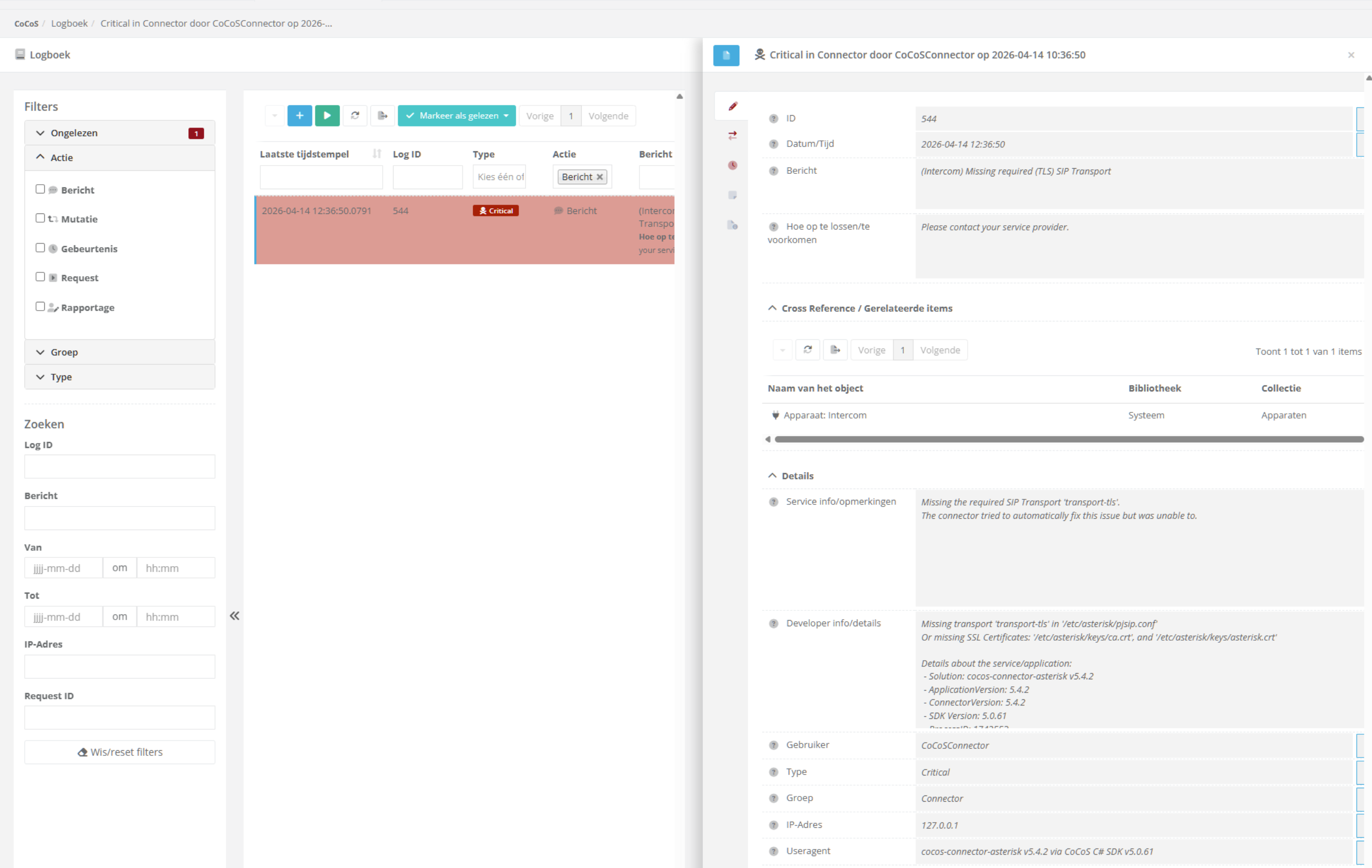
A critical message saying "Missing required (TLS) SIP Transport" shows up in the logbook, which can be seen in the CoCoS Management.
Details
See screenshot below for an example of the message. The fields "service info" and "developer info" provides more information about the issue.
Log output
Missing required (TLS) SIP Transport
Missing the required SIP Transport 'transport-tls'.
The connector tried to automatically fix this issue but was unable to. OR The transport was not configured or configurations contain invalid characters.
Cause
When the Asterisk Connector starts, it checks whether the required SIP transports are available:
- UDP
- TLS (secure transport)
These transports are needed so SIP calls can be established correctly.
Since TLS is the standard (recommended) transport, the connector expects the TLS transport to be properly configured.
If the required TLS certificate files are missing or invalid:
- The TLS transport cannot start
- As a result, the connector reports that the required transport is not available
In short: No valid TLS certificates -> TLS transport fails -> Connector cannot use secure SIP
Solution / Resolution / How To
Fix: no TLS certificate files
|
1. Connect to the system
Connect to the server via SSH ( or any other method ).
For this use a tool like:
|
|
|
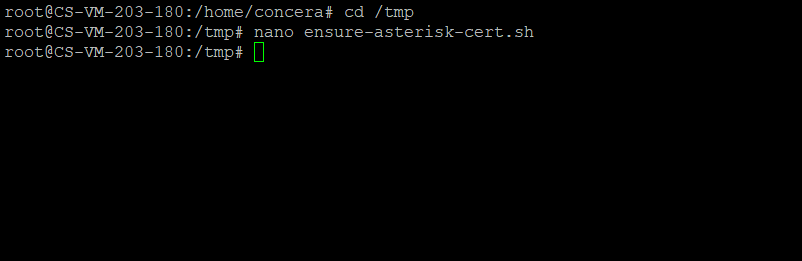
2. Upload the certificate script
Upload the script to the
|
|
|
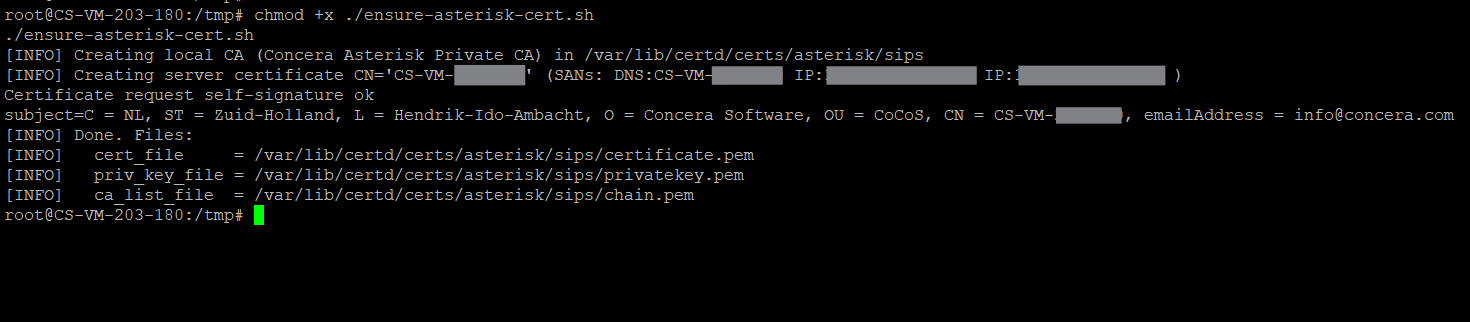
3. Run the script
Make the script executable and run it: |
|
|
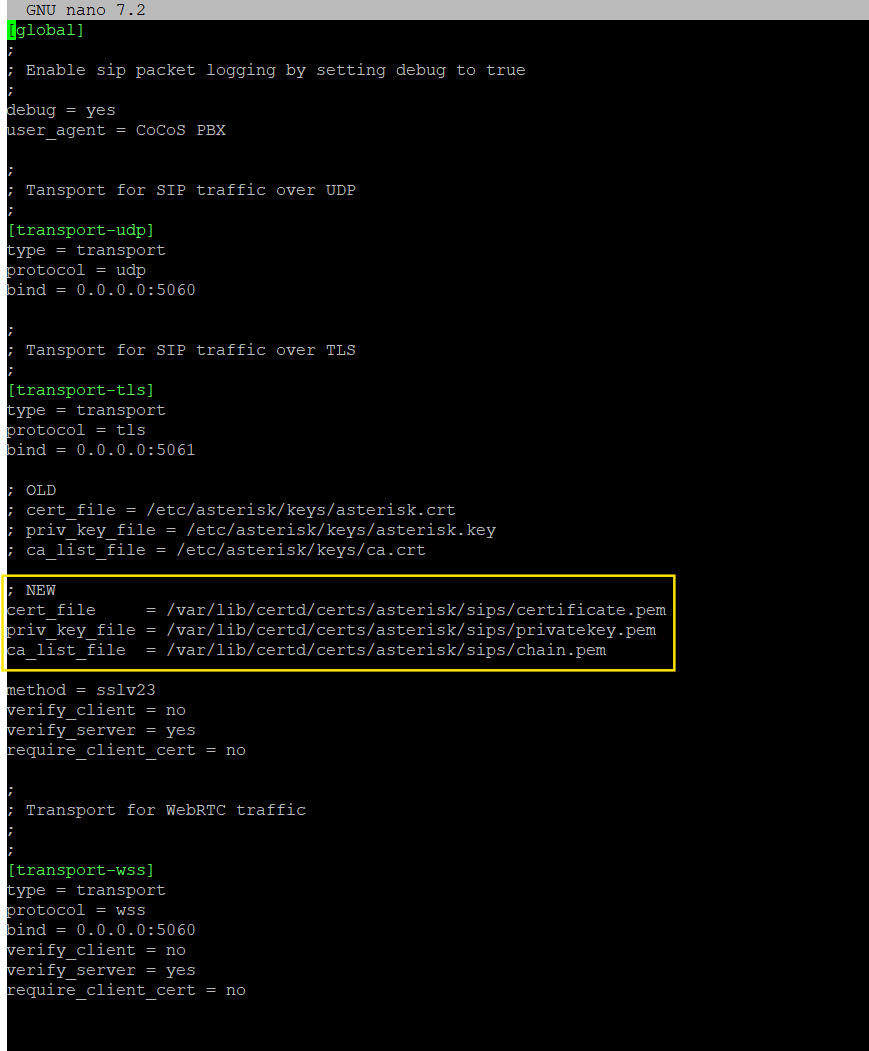
4. Ensure Asterisk uses the new TLS certificate files
4.1. Copy the values from the script output After running the script, note the following fields:
4.2. Open the Asterisk configuration file (You can also use
4.3. Update the TLS transport settings ( when needed )
|
|
|
5. Restart Asterisk using the following command: |
|
|
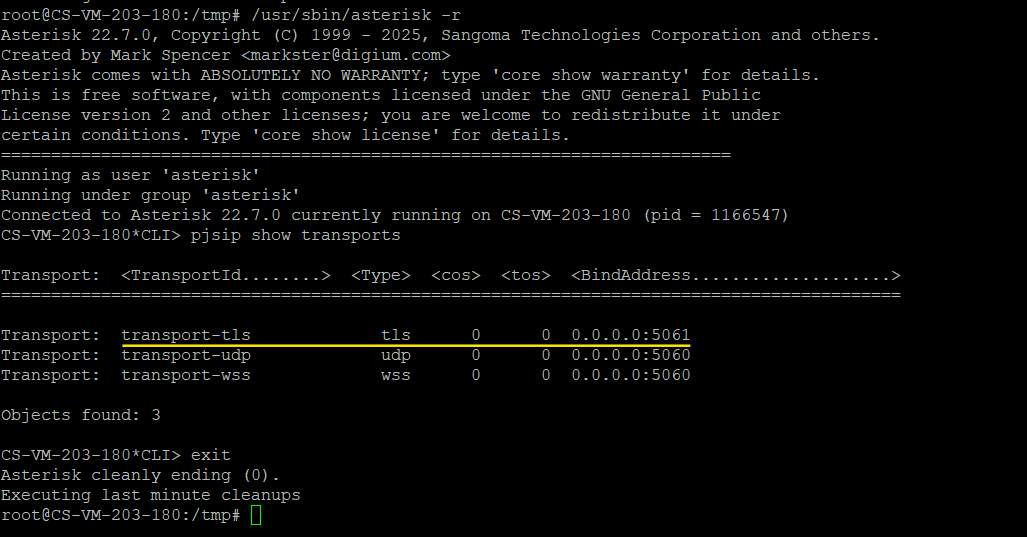
6. Verify TLS transport is active
Requires root or sudo privileges
6.1. Connect to the remote Asterisk CLI: 6.1. Run the following CLI command to list active SIP transports. You should be able to see You should be able to see
6.2. Use |
|
Disable TLS transport check
Worst case scenario, when unable to fix the TLS transport for any reason we are able to disable the check.
Not recommended; Please try any other solutions first.
|
1. Connect to the system
Connect to the server via SSH ( or any other method ).
For this use a tool like:
|
|
|
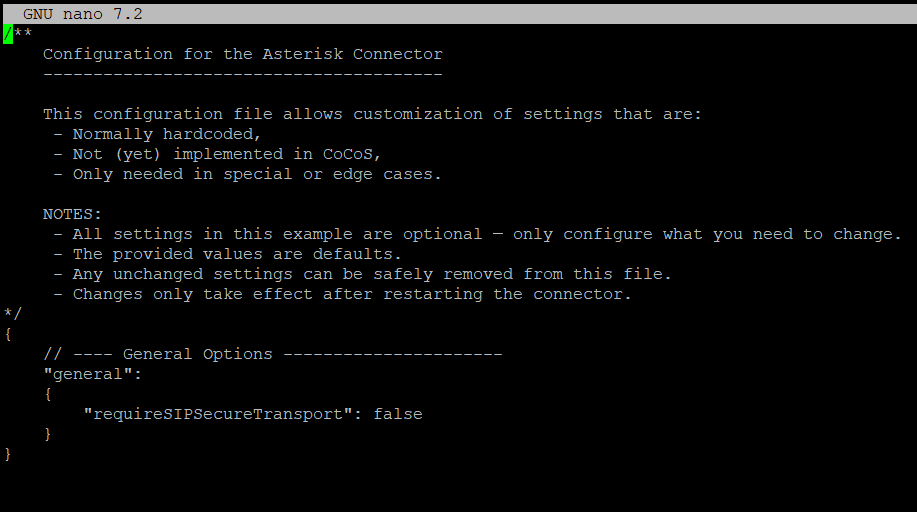
2. Open or create the configuration file
(You can also use
Then add or modify the following setting: For more info check: https://manuals.concera.com/books/cocos-connectors/page/optionele-connectorasteriskconf-configuratie-bestand
For config example check: https://github.com/Concera-Software/CoCoS-Connector-Asterisk/blob/main/samples/connector-asterisk.sample.conf
|
|
|
3. Restart the Asterisk Connector device |