Invalid policies/permissions for connectors/services
Symptoms
When a connector or service starts, log messages can be found saying it has no permissions/is not allowed to access data for a library/collection.
Related Error Messages in the Logbook
| Messaged |
Description / Explenation |
| This application is not allowed to access system/networkFirewall. |
|
| (firewallManager) Failed loading Firewall rules; System now using fallback rules! |
The firewall manager services was unabled / not allowed to read firewall rules from CoCoS. Error message: The given API-key requires authorization. |
Related symptoms
|
Error message in logbook :
"This application is not allowed to access library/collection" |
|
|
Logs saying "No access for data from library/collection" can be found in the logfile
|
|
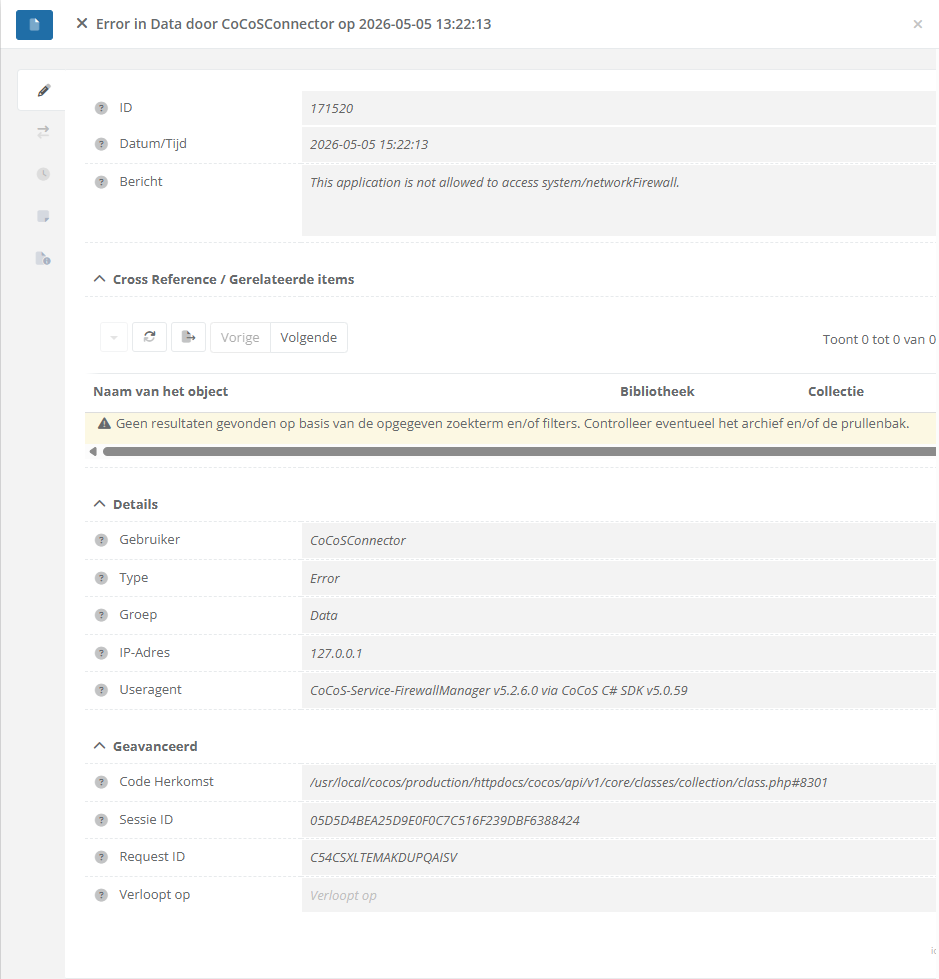
Application
These errors can occure when using newer versions of connectors and services on a CoCoS system with an older configuration for policies. This can happen after updating a CoCoS system to the latest version, for example when upgrading from CoCoS v5.0.26 to CoCoS v5.1.0, where new collections are added like intercom/priorities and system/networkFirewall, which weren't available before the update and therefore, could not be configured earlier.
Cause
These messages are caused because a service or connectors tries to read (or create, update or delete) data from/onto CoCoS, using the RESTful API. In order to do so, a set of policy rules is available, specifing what a connector/service may do. When policy rules are missing, messages like these will be displayed and/or logged.
Solution / Resolution / How To
Required policies (as of CoCoS v5.1.0-rc.6):
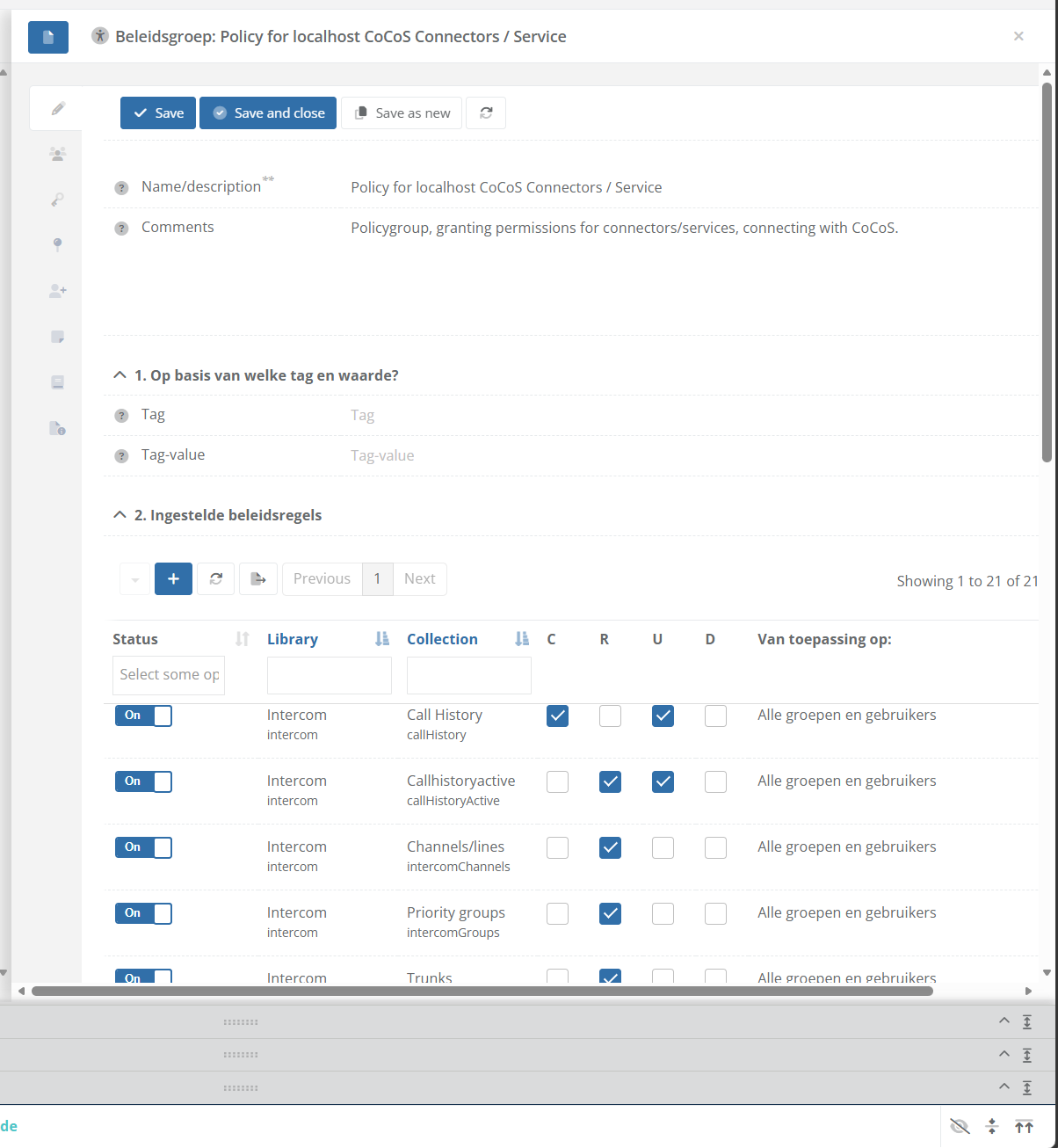
The API-key and user, used by services/connectors, must have a policy/policy rules with at least the permissions in the table below. Please make sure the question/option: "3. Van wie mogen de gegevens beheerd worden?" is answered with "Alle gegevens / van iedereen" and: "Voor welke gebruikers/groepen is deze regel van toepassing" is set to "Alle groepen en/of gebruikers".
| Library | Collection | Create | Read | Update | Delete |
| Intercom | callHistory | ✔ | ✔ | ✔ | |
| Intercom | callHistoryActive | ✔ | ✔ | ✔ | |
| Intercom | IntercomActionFilter | ✔ | |||
| Intercom | IntercomBlackWhiteLists | ✔ | |||
| Intercom | intercomChannels | ✔ | |||
| intercom | intercomGroups | ✔ | |||
| Intercom | intercomTrunks | ✔ | |||
| intercom | outgoingCallRoutes | ✔ | |||
| intercom | outgoingCallRules | ✔ | |||
| intercom | priorities | ✔ | |||
| intercom | soundPackages | ✔ | |||
| media | files | ✔ | ✔ | ||
| media | uploads | ✔ | ✔ | ✔ | |
| system | configurations | ✔ | ✔ | ||
| system | deviceFilters | ✔ | |||
| system | devices | ✔ | ✔ | ||
| system | eventlist | ✔ | |||
| system | logMessage | ✔ | |||
| system | networkFirewall | ✔ | ✔ | ✔ | |
| system | notificationQueue | ✔ | |||
| system | proxies | ✔ | |||
| system | services | ✔ | ✔ | ||
| system | taglist | ✔ | ✔ | ✔ | |
| system | tagQueue | ✔ | ✔ |
Instructions:
| Login onto the CoCoS Management. |
|
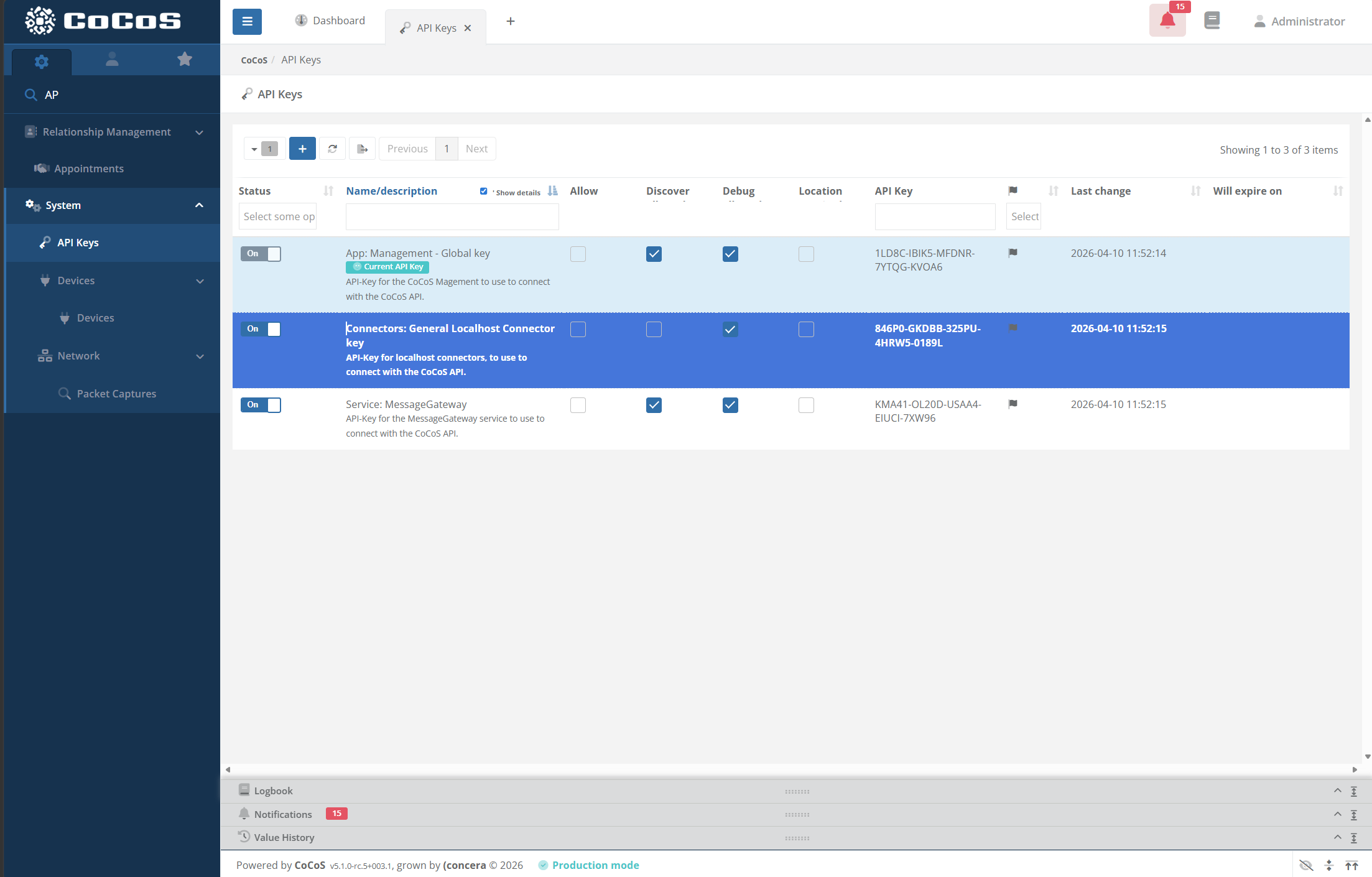
| Check 2: Navigate to System -> API Keys, and find the API-key that's used by connectors/services. On newly/freshly installed systems with CoCoS, the entry is named "Connectors: General Localhost Connector key" by default. Double click to open it. |
|
|
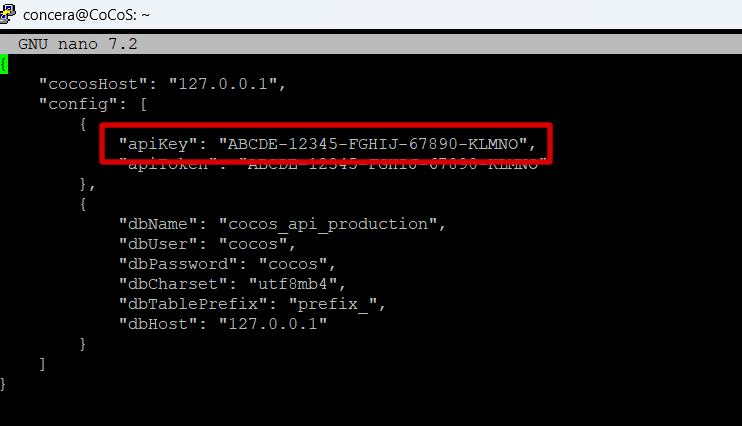
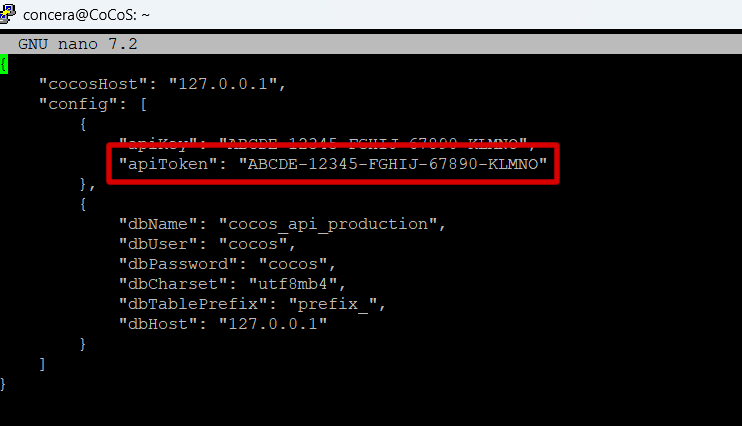
When you're not sure which API-key is used by the connectors/services on the system, use SSH/PuTTY to login onto the server and check the contents of file
|
|
|
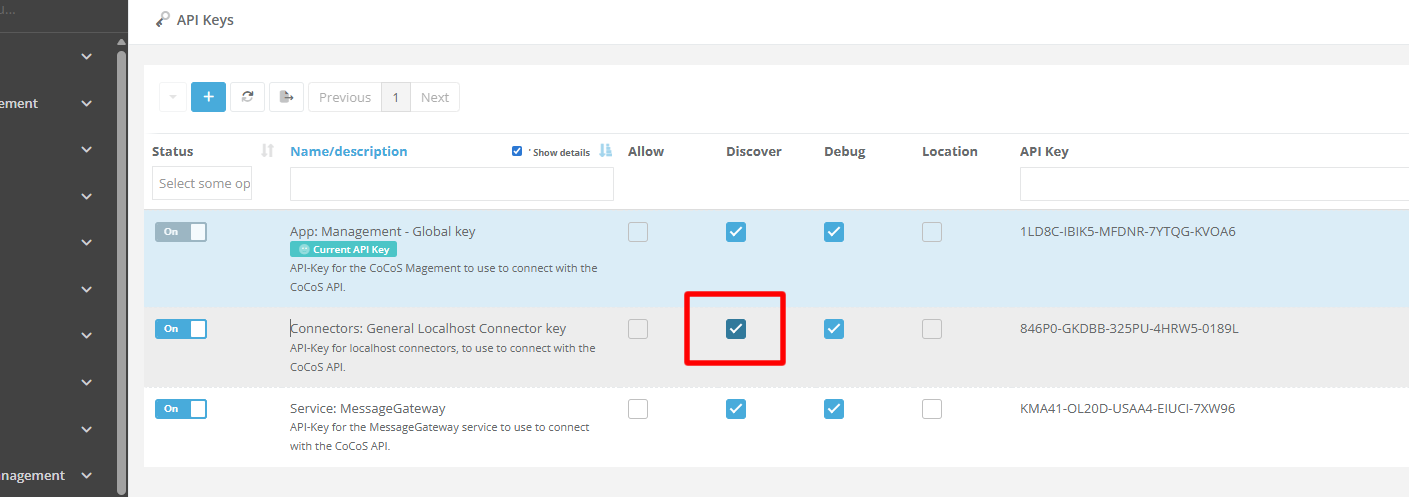
For the API key used for connectors/services, make sure the "Discover" checkbox is enabled as well! |
|
|
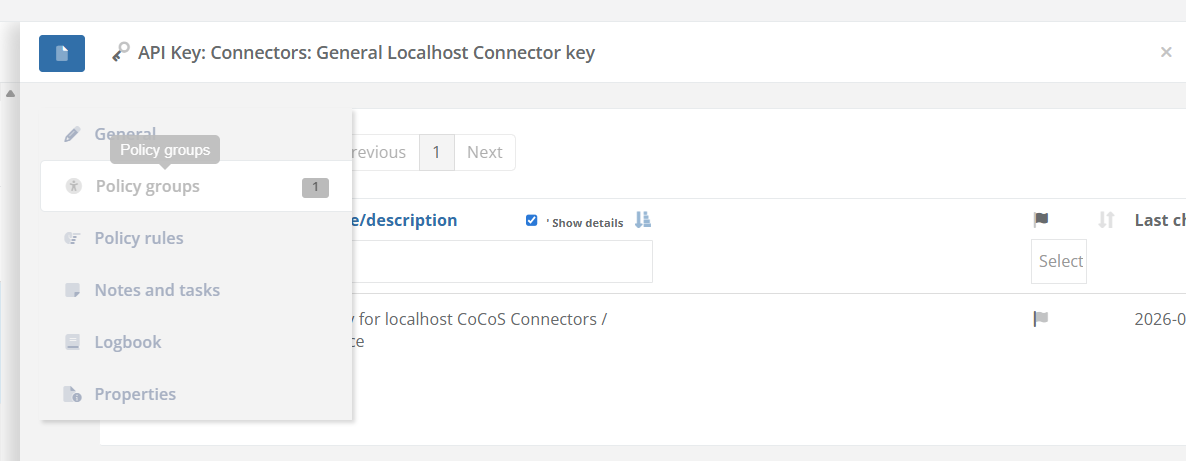
After opening the right API-key, open tab "Policy Groups" and check which policy-group(s) are configured for this API-key.
|
|
| Check the configured rules in the policy, using the table with required policies at this page. When a policyRule is missing, use the [ + ] button to add a new one. |
|
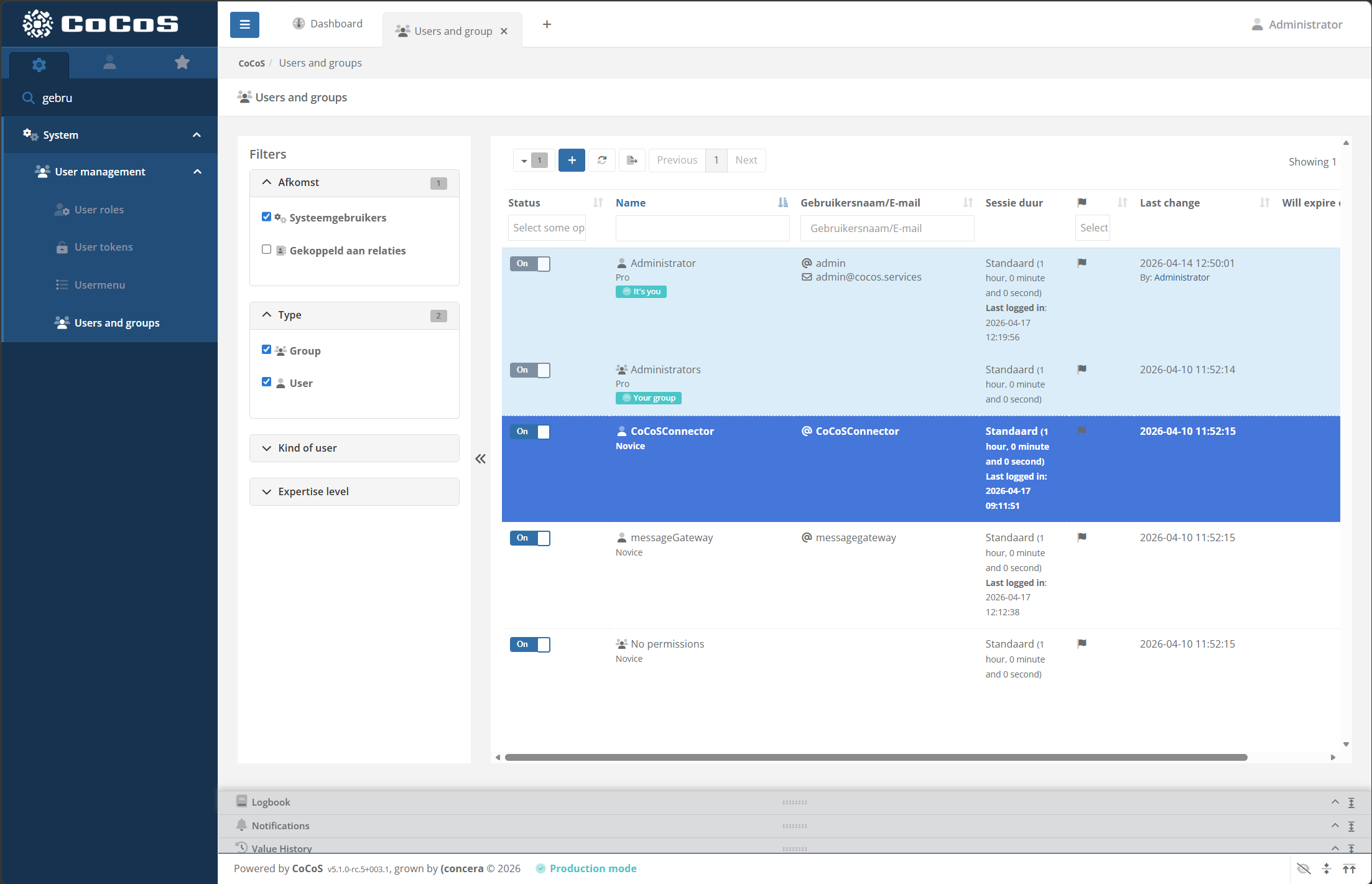
| Check 2: Navigate to System -> User management -> Users and groups, and find the API-key that's used by connectors/services. On newly/freshly installed systems with CoCoS, the entry is named "CoCoCConnector" by default. Double click to open it. |
|
|
When you're not sure which API-key is used by the connectors/services on the system, use SSH/PuTTY to login onto the server and check the contents of file
|
|
|
After opening the right API-key, open tab "Policy Groups" and check which policy-group(s) are configured for this API-key.
When this is the same policyGroup as used in the API-key, the configuration might already be correct after executing the steps above. |
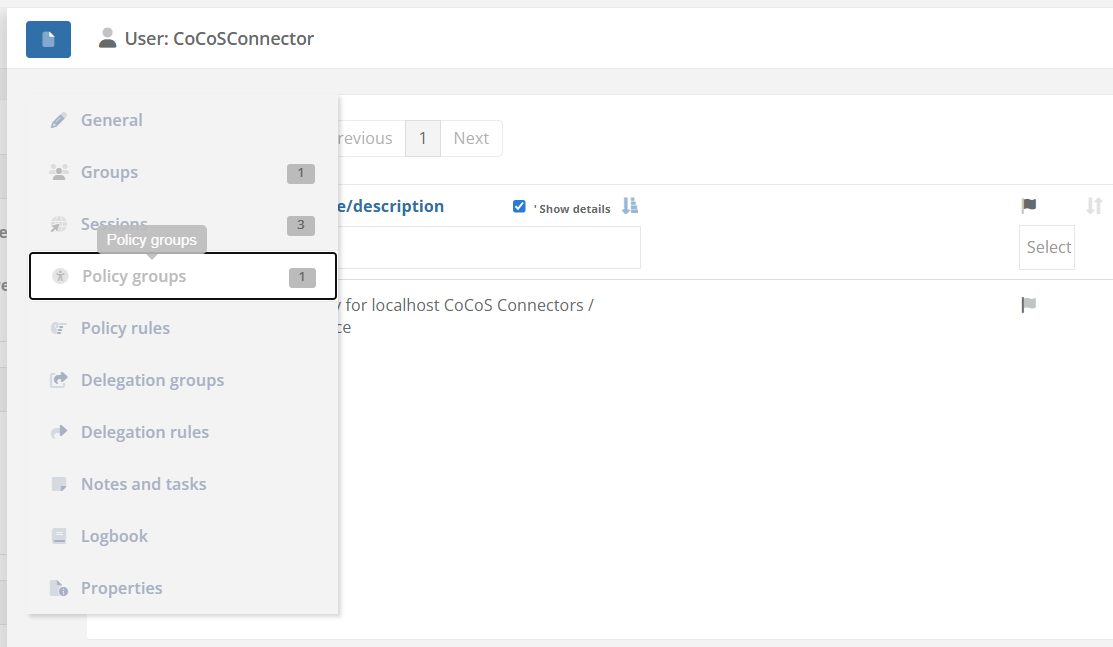 |
| Check the configured rules in the policy, using the table with required policies at this page. When a policyRule is missing, use the [ + ] button to add a new one. |
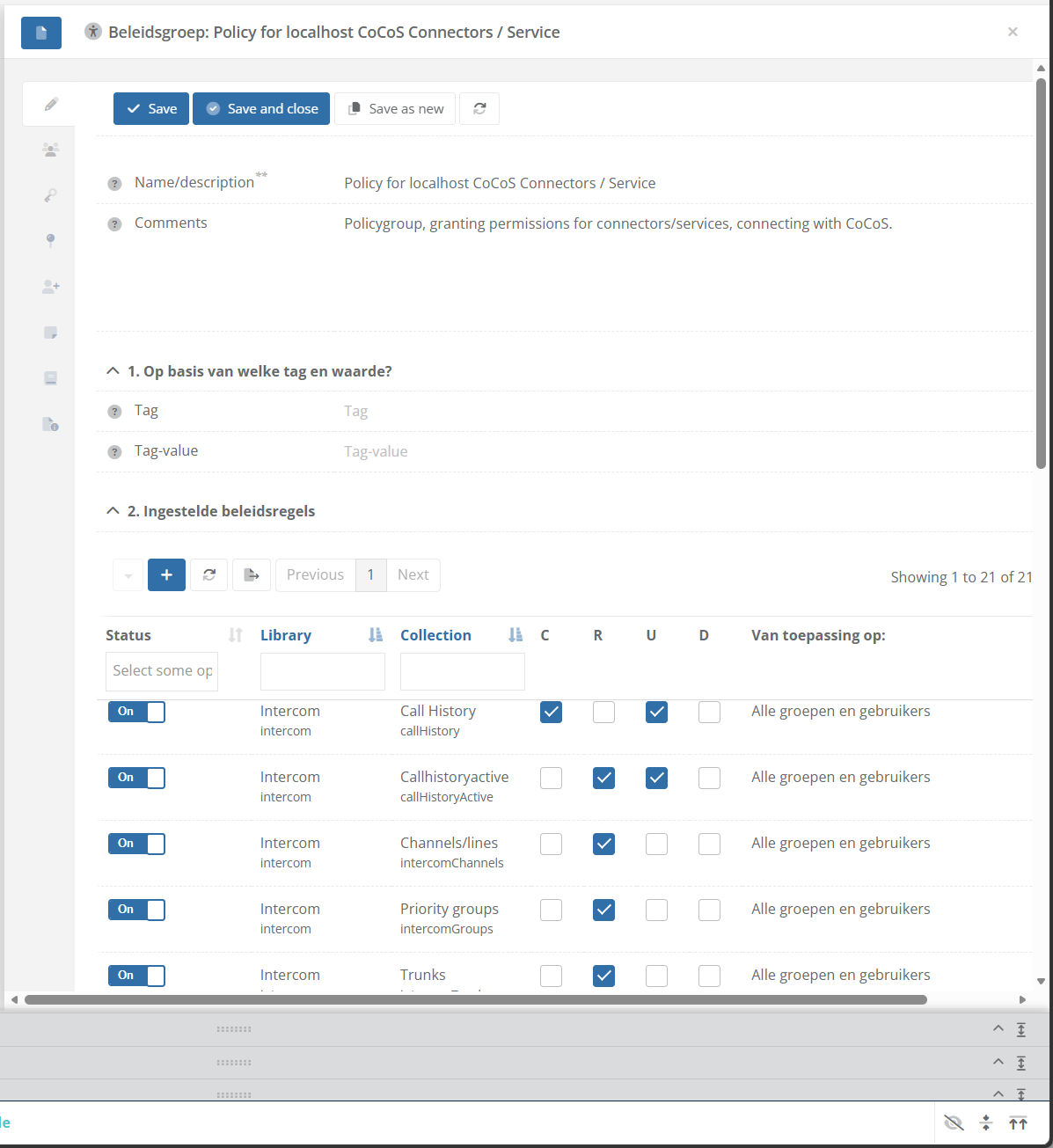 |
| After adding all required policyRules for connectors/services, check if they are now able to fetch data from the RESTful API. |